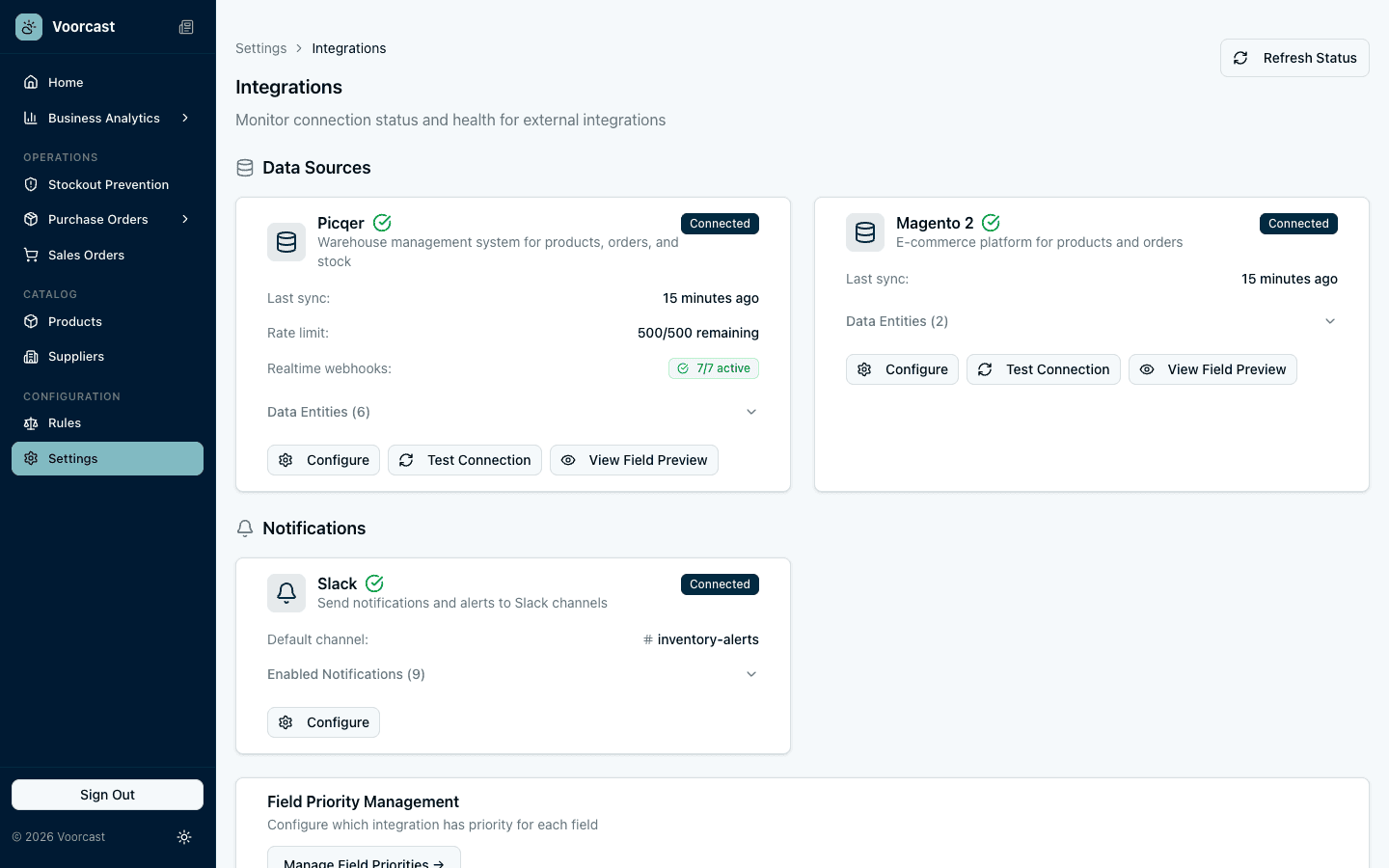
Alert Types
Every signal, routed to the right team
Out of Stock
An alert the moment a product actually runs out, with a link straight to it.
Sync Problems
A message when a sync with Picqer or Magento fails, so stale data never goes unnoticed.
Order Profitability
The profit on the orders you choose to follow, with a mention for the right people when one makes a loss.
Purchase Orders
Updates when a purchase order changes in Picqer, and a heads-up when customer backorders need ordering from a supplier.
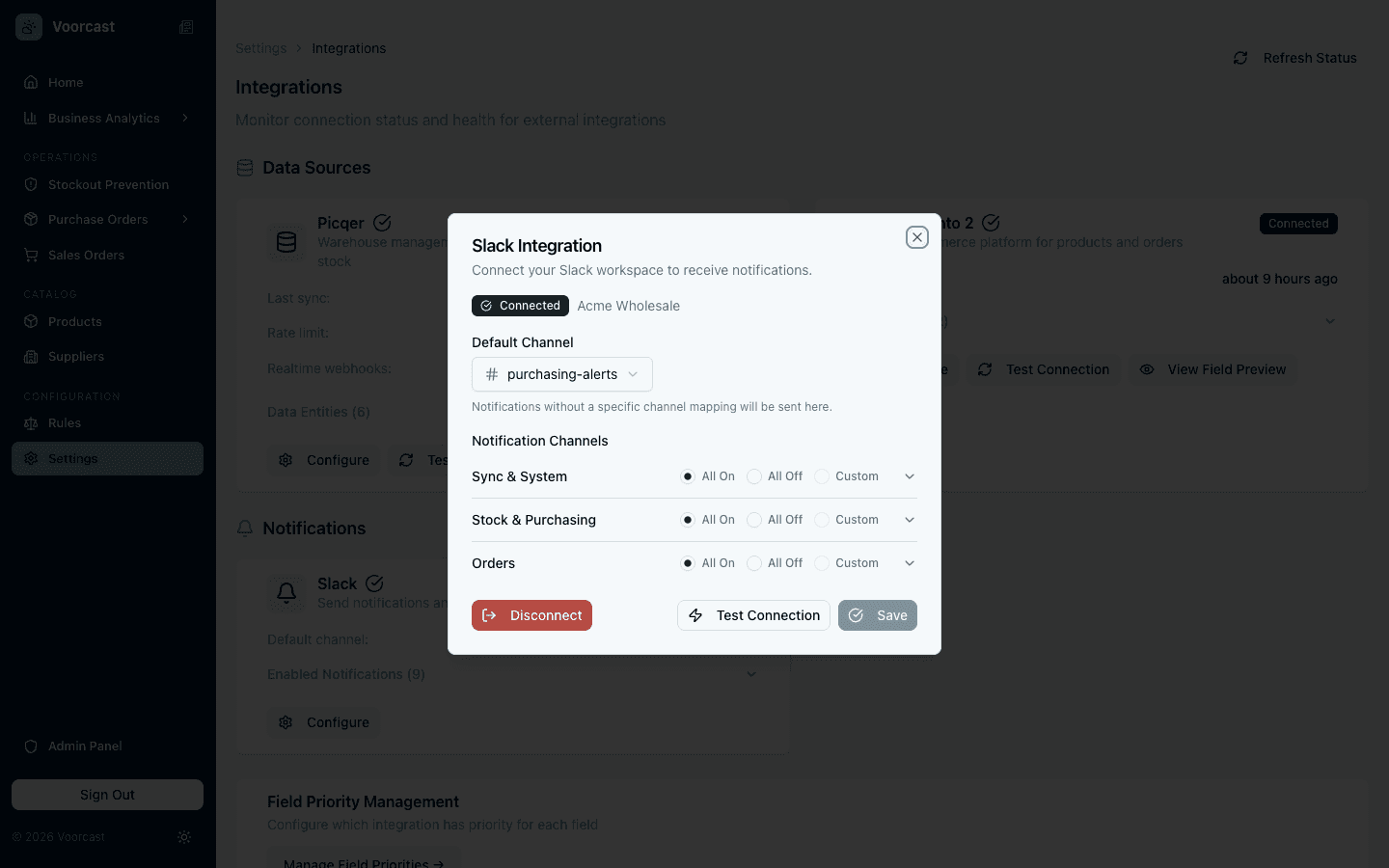
OAuth Workspace Connection
One-click setup, full control
Connect your Slack workspace via secure OAuth2. Choose which channels receive which alerts: route out-of-stock alerts to purchasing and profitability alerts to finance.
- Secure OAuth2 connection
- Choose notification channels
- Per-alert-type channel routing
Alerts You Can Act On
Only the alerts with a decision behind them
Voorcast posts when there is something to do: a product has run out, customers are waiting on a backorder, or an order made a loss. No running commentary on the forecast.
- Out-of-stock alerts with a link to the product
- Backorders that need ordering, per supplier
- Loss-making orders, with a mention for who should look
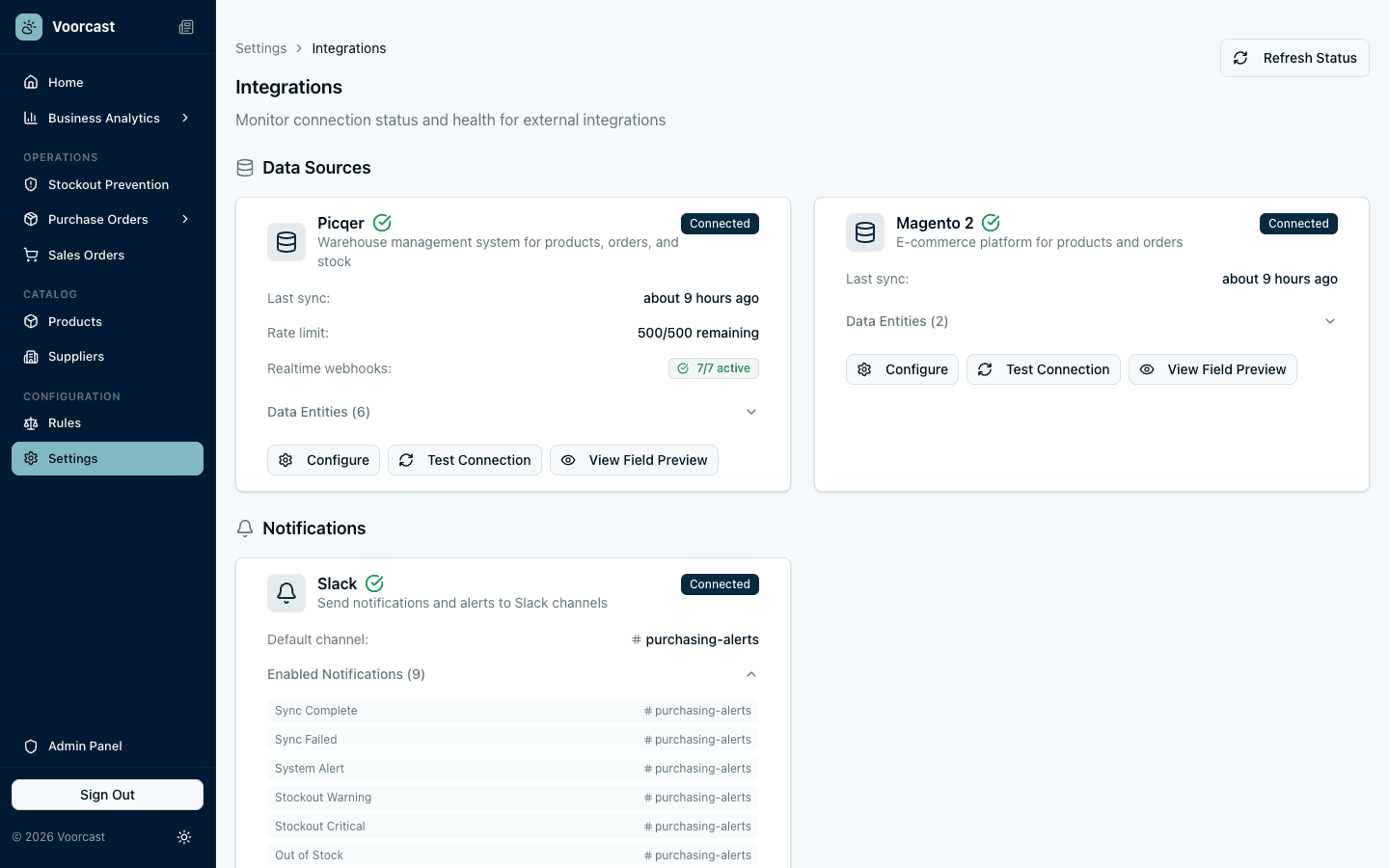
Alerts, not noise.
Out-of-stock alerts, purchase order updates and order profitability, each routed to the channel that should see it.
Request Early Access